Is TikTok your digital sanctuary, where creativity flourishes, trends explode overnight, and the algorithm seems to know you better than your best friend? But the fun and quick connections also come with the inevitable downsides that social media users know all too well: trolls, spammers, and those energy-draining “friends” and influencers you’d rather not know. Could the “Block” button be your best friend? Learn how it can help you turn TikTok into a digital space that’s all about good vibes with this quick step-by-step guide.
Why should you block someone on TikTok?
Whether it’s an aggressive keyboard warrior who comments “mid” on every one of your videos, a spam account flooding your DMs with shady pyramid scheme tactics, or that weird friend from school who’s constantly lurking in the background… sometimes it’s time to cut the digital cord. Blocking someone isn’t petty or dramatic—you have every right to carefully curate your personal online space and remove content and contacts that don’t bring you joy. Think of it as an act of self-care. Here are some reasons why you might want to block someone on TikTok.
- Unwanted Attention: Do you feel uncomfortable when someone constantly views your content or sends you an excessive number of messages? It could be a case of cyberstalking—you don’t have to put up with it without complaining. As on many other online sites where people interact with one another, young people are also at risk of online grooming here.
- Harassment or bullying: Like any social media platform, TikTok is a breeding ground for these bullies, who hide behind their anonymity to threaten, humiliate, or dox others. Cut off contact and don’t give them the space they need to intimidate you.
- Fake Accounts and Spam: Scammers create fake accounts that impersonate real celebrities or influencers to deceive their followers. Be wary of expensive giveaways and fake contests—if it sounds too good to be true, it usually is. So you probably didn’t win a beach house. Look for the celebrity’s real account, and never enter your personal information on any websites. Treat all online interactions as potential phishing attempts. Cybercriminals are masters of deception and also rely on smishing, catfishing, and quishing.
- Inappropriate or offensive comments or messages: Is something derogatory, demeaning, rude, or shocking to you, your community, or your religion? Typical examples include hate speech, sexually explicit material, and content that promotes violence or endangers minors. No one has the right to unchecked free speech in your digital space—block it!
- Hurtful or harmful content: From images of a seemingly perfect life to fake news and toxic influencers who glorify unhealthy thinness, social media can harm our mental health and self-esteem. Create a safe and positive space for yourself online by removing anyone who makes you feel bad.
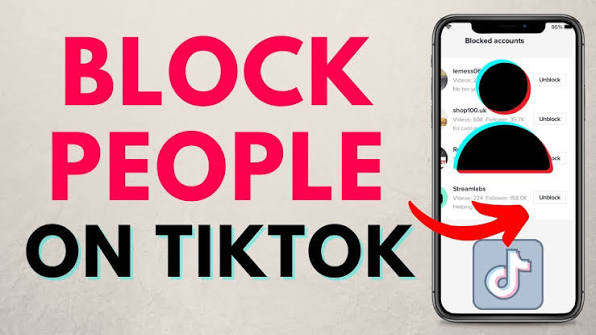
Remember that you can block someone on TikTok,whether they’re your follower or not. Plus, they won’t know they’ve been blocked because TikTok doesn’t notify them.
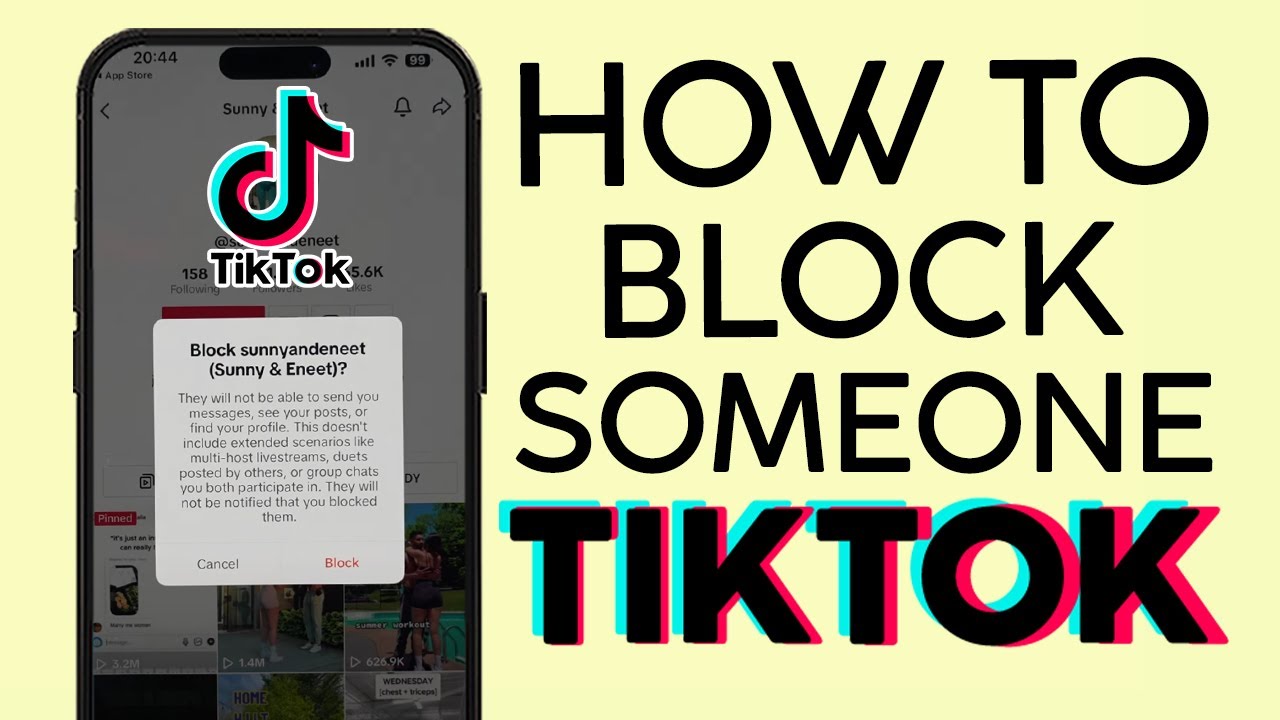
How to Block a Single Person on TikTok
If your TikTok experience is being marred by negativity, remember that it’s meant to be a positive, inspiring, and fun place. If someone is ruining that for you, block them (without feeling guilty!). Select your device below to get started.
Blocking Someone on TikTok Using an iPhone or Android Device
- Open the TikTok app and find the user you want to block. Use the search bar to find the profile you’re looking for. Tap the share icon (arrow) in the top-right corner of the profile page.
- Select Block.
- Select Block again to confirm your choice. The person is now blocked!
Blocking someone on the TikTok website
- Open the TikTok website. Use the search bar to find the user you want to block.
- On the person's profile page, click the three dots (below their name and next to the arrow icon).
- Select “Block.”
- Select “Block” again to confirm your choice. Done!
How to Block Multiple Users at Once
If you want to block multiple users on TikTok, searching for each profile individually can be very time-consuming. Fortunately, you can block a group of accounts all at once without having to visit their profiles. Note that this method allows you to block up to 100 people—but only those who have commented on your videos. You can’t block a group of users who are commenting on a different video (no matter how much they annoy you).
- Open one of your TikTok videos and tap the Comments icon on the right side of the screen.
- Long-press a comment. Then select Manage Multiple Comments.
- Select the comments from the accounts you want to block, and tap More.
- Click Block Accounts.
- Select Block again to confirm your selection. You’ve now banned these users from your digital “peaceful” space.
Want to block just one person’s account? Long-press their comment under your post. Then tap Manage Multiple Comments, but select only that user’s comment. Tap More, then tap Block Accounts.
Here's how to unblock a user on TikTok
Maybe you made a mistake, changed your mind, miss the person, or they apologized to you? No problem. There are two quick and easy ways to unblock someone on TikTok.
Option 1: Go directly to the user’s profile, tap the share icon (arrow) or the three dots, and tap “Unblock.”
Option 2: Go to Settings & Privacy > Privacy > Blocked Accounts and unblock the user from the list of blocked accounts.
No matter which option you choose, you’ll immediately be able to see the profile’s content again—and vice versa.