Instagram has rolled out some exciting new features for its chats and direct messages (DMs), as Meta also announced on its blog.
These include several helpful improvements, such as how to edit Instagram DMs, pin important chats, and more. You can read the full list of changes here:
An Overview of the New Instagram Features
-
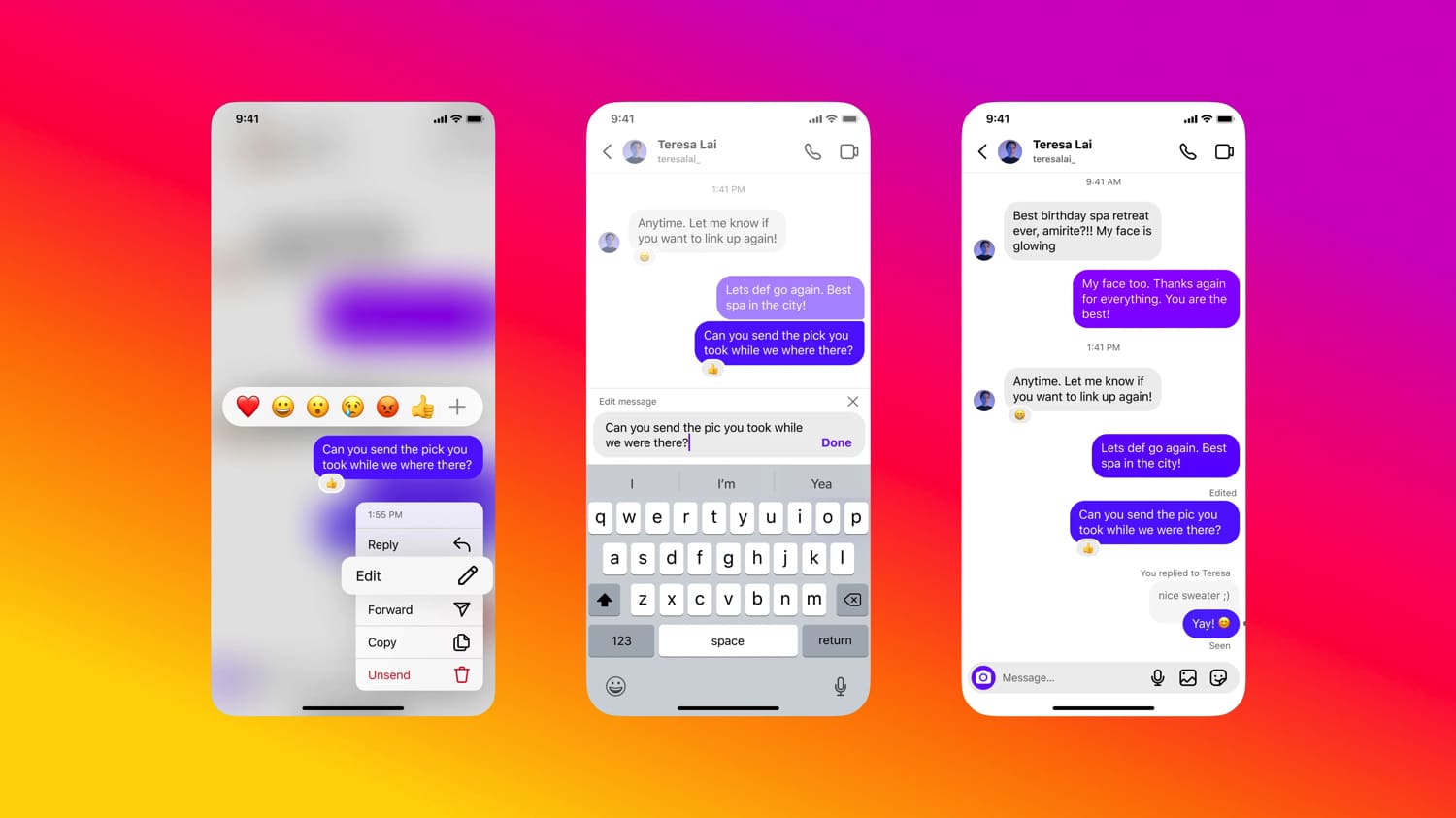
Editing Direct Messages: Typos or messages you wish you hadn’t sent can now be edited within 15 minutes of sending. To make Instagram message editing, simply press and hold it for a few seconds, then select “Edit” from the dropdown menu.
-
Pin Chats: Chats with your best friends, family, or anyone you consider important can “soon” be pinned to the top of your inbox. You’ll be able to pin up to three chats. To pin a chat to the top of your inbox, swipe left on the chat or tap it, then tap “Pin.” You can unpin a chat at any time.
- Turn read receipts on and off: You can toggle read receipts on or off for all chats or specific chats. To do this, go to your account settings, tap “Messages and Story Replies,” and then tap “Show Read Receipts.” There, you can choose to turn read receipts on or off.
- Saving Your Favorite Stickers: You can now save your favorite stickers in Instagram DMs so you can access them more easily later. To do this, press and hold the sticker you want to save. The next time you open the app, you’ll find the sticker at the top of your list.
- Replying with Stickers, GIFs, Videos, Photos, and Voice Messages: To do this, simply press and hold a message, select “Reply,” and choose the option you want.
- Personalize different chats with themes: You can now personalize chats with specific themes. This changes the colors and background images (soon even animated ones) of your chats. To change a theme for a chat, tap the chat name at the top, go to “Themes,” and select one of the available options.
Edit Instagram Messages
Made a typo or sent the wrong message? How to edit Instagram DMs for up to 15 minutes after sending them.
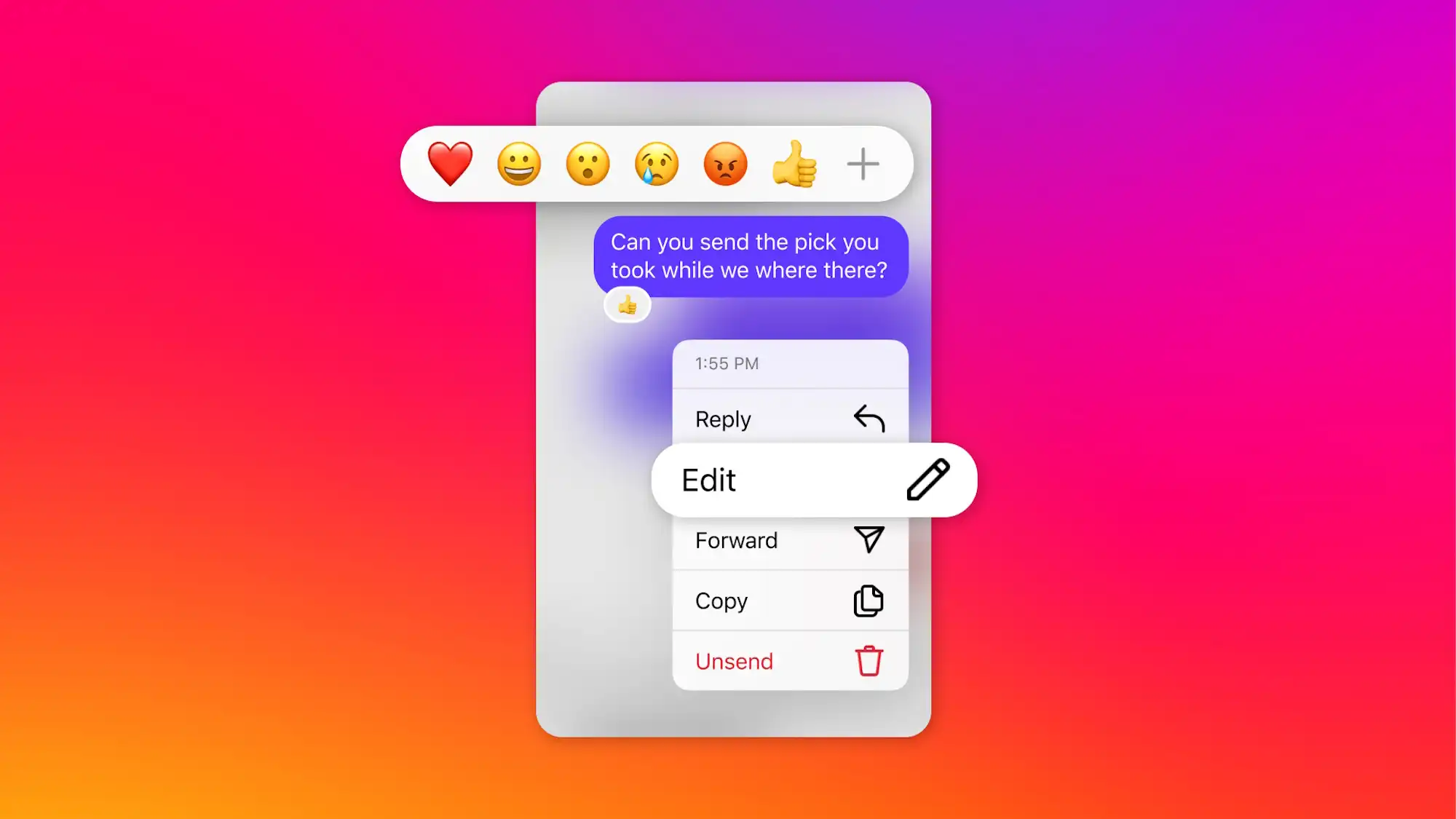
How to edit a message on Instagram
- Open the conversation.
- Press and hold the message you want to edit.
- Tap Edit.
- Make your changes and save them.
This feature is especially useful for correcting mistakes without having to delete and resend a message.