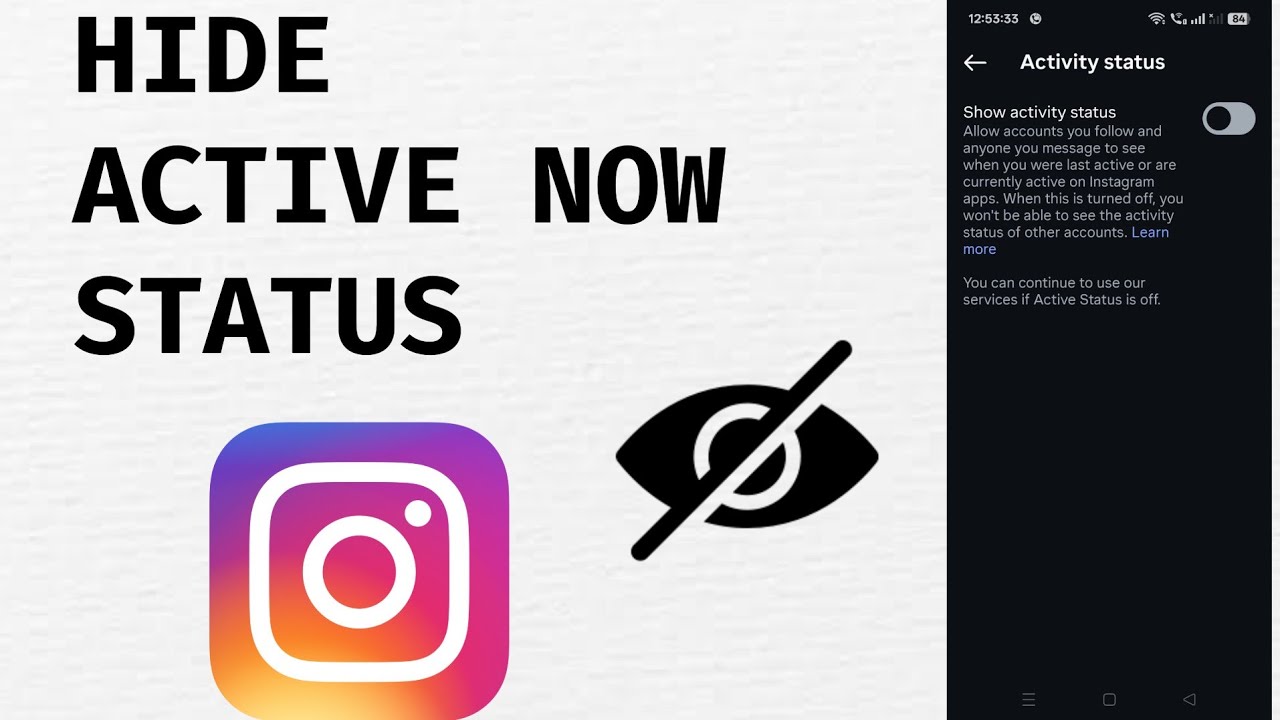
Since January 2018, Instagram activity status has allowed users to see when their contacts were last active on the app. Similar to features found on Facebook Messenger and WhatsApp, this setting displays your online activity to people you message. If you value privacy, you may want to turn off activity status on Instagram and prevent others from seeing when you're online.
Of course, your contacts can also see your Instagram last seen information when the feature is enabled. The good news is that you can easily hide online status on Instagram with just a few taps. The app layout is nearly identical on both iPhone and Android devices, so the following instructions work regardless of your operating system.
Note: If you disable Instagram activity status, you will no longer be able to see your contacts’ activity status or last active time either.
How to Turn Off Activity Status on Instagram
- Open Instagram and go to your profile.
- Tap the three-line menu in the top-right corner.
- Open Settings and Privacy.
- Tap Messages and Story Replies.
- Select Show Activity Status.
- Turn off the toggle switch next to Show Activity Status.
Once disabled, your followers and contacts will no longer be able to see your Instagram last seen information or know when you are currently active on the platform.

Why Hide Active Status on Instagram?
Many users choose to hide active status on Instagram for privacy reasons. Turning off this feature can help you:
- Keep your online activity private.
- Avoid pressure to reply to messages immediately.
- Gain more control over your Instagram privacy settings.
- Enjoy a more distraction-free messaging experience.
Whether you want to hide online status on Instagram permanently or simply prefer more privacy, this setting gives you greater control over who can see your activity.
Learning how to turn off activity status on Instagram is one of the easiest ways to improve your privacy on the platform. In just a few seconds, you can disable Instagram activity status, hide your Instagram last seen information, and enjoy a more private Instagram experience.