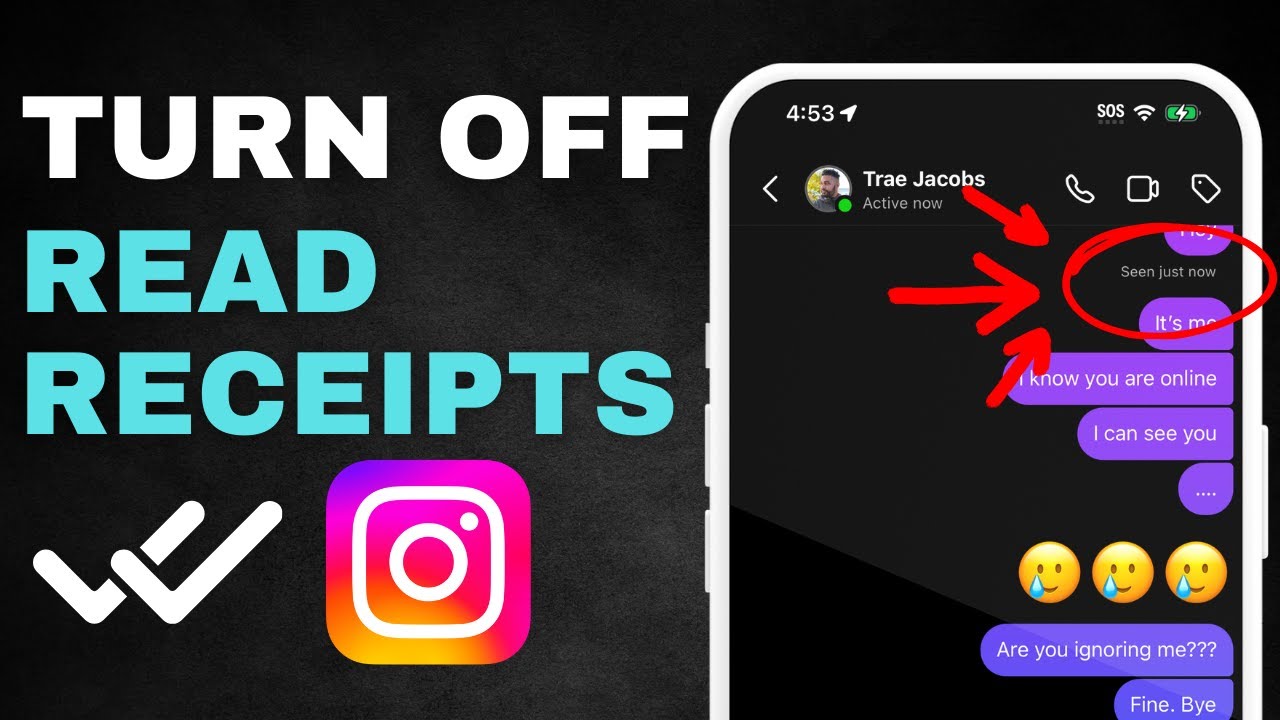
You might not want others to know exactly when you’ve read their messages on Instagram, or you might want to protect your privacy and need more time to reply. Instagram offers a feature that lets you disable Instagram read receipts for individual or all chats. This can help ease any anxiety or stress you might feel when you’ve read a message but haven’t replied yet. Here’s how to turn off read receipts on instagram.
How to Turn Off Read Receipts on Instagram
The option to disable Instagram read receipts is only available in the Instagram app for Android or iPhone. You can manage Instagram read receipts for individual chats or all messages.
Disable read receipts for specific chats
Step 1. Tap the Instagram icon in the top-right corner and go to your chat list, select a conversation, and tap the name at the top.
Step 2. Tap Privacy & Security and turn off Read Receipts; this way, others won’t see when you’ve read their message.
Turn off read receipts for all messages
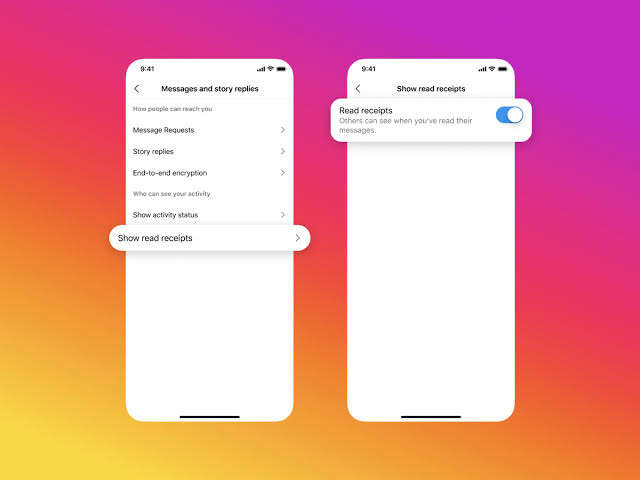
Step 1. Go to your profile in the bottom-right corner, tap Settings & Activity, then tap the “How others can interact with you” section, and tap Messages and Story Replies.
Step 2. Go to “Who can see you,” tap “Show read receipts,” and turn it off.
Until this option becomes available, Instagram does not allow its users to turn off read receipts Instagram in the settings. However, there are a few workarounds you can try.
Use Airplane Mode Without Sending a Read Receipt
Put your Android or iPhone in Airplane Mode when you receive a message, but don't open it right away.
Step 1. Turn on Airplane Mode on your device and disconnect your phone from all networks (cellular data and Wi-Fi).
For Android: Swipe down from the top of the screen to access the notification panel and tap the airplane icon.
For iPhone: Swipe down from the top-right corner to access the Control Center and tap the airplane icon.
Step 2. Turn on Airplane Mode, open the message on Instagram, and no read receipt will be sent.
Step 3. Before turning off Airplane Mode, close Instagram and make sure it’s not running in the background.
Step 4. Once Instagram is closed, you can turn off Airplane Mode.
Note: If you follow these steps, a read receipt won’t be sent when you read the message. But keep in mind that Instagram read receipts will be sent once you reconnect to the internet and open Instagram.
Reading the Message Preview
When you receive a message on Instagram, you can see part of the message in the notification panel without opening the Instagram app; this does not trigger a read receipt. However, you can only read part of it if the message is longer.
Restrict an account to turn off read receipts on Instagram
Turn off read receipts Instagram by restricting an account, follow these steps:
Step 1. Go to the profile of the person you want to restrict and tap the three dots in the upper-right corner of the profile.
Step 2. Select “Restrict” from the menu, confirm that you want to restrict the account, and you will no longer be able to read their messages.
Managing your privacy and response time on Instagram is crucial for your peace of mind. With the methods mentioned above for turning off read receipts on Instagram—whether you disable Instagram read receipts for individual chats and all messages or use third-party solutions like Airplane Mode, reading message previews, or restricting an account—other people won’t know when you read the messages, and you won’t feel pressured to reply immediately.