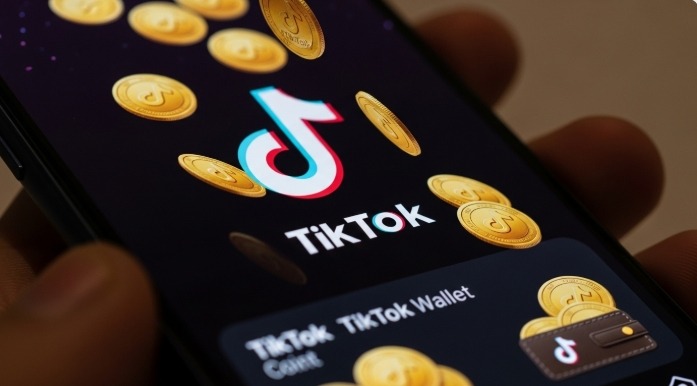
TikTok Coins are TikTok’s in-app currency. You can use them to support creators on TikTok or send gifts to other users. To use TikTok Coins, you first need to top up your account. To do this, you purchase TikTok Coins with real money. We’ll explain how to buy, top up, and send coins—and whether there are any risks involved.
The music and video platform TikTok has quickly become the most popular and most-used app worldwide. Between 2019 and 2022, no other mobile app recorded more downloads. If you want to support your favorite content creators on TikTok, you can select coin packs during their livestreams and send them using the gift feature. You can find out exactly how this works here on our site.
How TikTok Coins Work
First, you should know that while TikTok Coins are similar to other cryptocurrencies based on blockchain technology, unlike Bitcoin, they only work within the TikTok app. You can purchase, top up, and send TikTok Coins exclusively through the social media platform. Other than that, TikTok Coins work just like any other virtual in-app currency.
To financially support other TikTok users, you first purchase coins with real money. You can then choose to send these as TikTok gifts—for example, as a coin donation or in the form of digital gifts like emojis. In return, some creators offer you exclusive perks such as name mentions or meet-and-greets. Creators who receive your gifts can then exchange the coins or digital gifts for real money.
Purchasing: Topping Up TikTok Coins
If you want to top up or buy TikTok Coins, keep in mind that you can purchase them both in the mobile app and via a browser on your computer. We recommend buying coins on your computer, since Google and Apple charge additional fees when you purchase TikTok Coins on a smartphone. Fees also apply when using the web version on a computer, but they are up to 26 percent lower. You may even receive free coins when you top up for the first time. However, according to TikTok’s Terms of Service, purchasing, topping up, and sending coins are only permitted for users 18 years of age or older.
Buying TikTok Coins via the Web Version: To buy coins via the web version of TikTok, first log in to your TikTok account through a browser. Then, click on your profile picture in the top-right corner and select the “Get Coins” menu option, or use the link to the Coins page. On the next page, you can select coin packages available for purchase with real money. Alternatively, you can choose a custom amount by clicking “Customize.” Finally, click “Buy Now” and select your preferred payment method (PayPal, credit card, or Klarna). The coins will then be added to your TikTok account.
Buy TikTok Coins in the app: Log in to TikTok via the app and tap your profile picture in the bottom right corner. Then tap the three-bar icon in the top right corner. Next, select “Settings and Privacy,” go to the “Account” section, and then tap “Balance.” Tap “Top Up” to view the coin packages. Select a package or enter a custom amount. Now choose your preferred payment method, which you’ve set up in the Play Store or Apple App Store.
Sending TikTok Coins
If you want to send coins as virtual TikTok gifts, first open the TikTok video or livestream of the creator in question. In the comments section, tap the gift icon in the bottom-right corner of the text field. If the selected TikTok account cannot or does not want to receive gifts, the icon will not appear. In livestreams, sent gifts are even displayed live and visually as emojis or stickers. Coins sent to TikTok creators are converted into diamonds, which they can then exchange for real money.
Promote Videos with TikTok Coins
If you post content on TikTok yourself, you can also use your balance to promote videos to specific target audiences. However, this feature is only available in the smartphone app. To do this, tap your profile picture, select the three-bar icon, and then choose “Creator Tools.” Using the “Promote” option, you can now select a video that you want to help reach a wider audience. You can set a budget, a time frame, and goals such as more views or more followers.
Exchanging TikTok Coins for Cash
Creators who receive digital gifts from their fans and viewers can cash out their accumulated diamonds for real money. You can view your balance in your profile under “Balance.” Here, as a creator, you’ll find the number of diamonds you have and their conversion to real money. Withdrawals are possible for amounts of at least $50 and are typically initiated via the “Withdraw” option in the Balance menu.