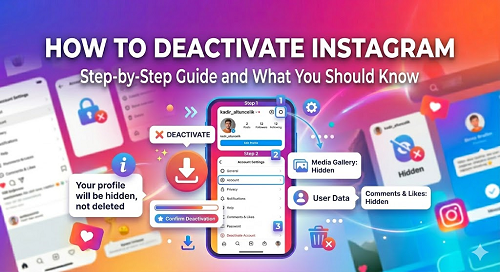
You may be bored with Instagram, or you may want to close your account for various reasons. If you want to temporarily deactivate Instagram account, you can do it in a few simple steps. Deactivating your Instagram account requires a multi-step procedure. After completing these steps, you can deactivate your account. You will be asked to state a reason for deactivation, and options will be presented to you. Follow the steps below:
- Go to this link first: instagram.com/accounts/remove/request/
- Specify a reason why you want to close your account
- Type your Instagram account password
- And deactivate it! You done.
When the deactivate button is pressed, your photos, comments and likes will be hidden until you re-sign in and re-activate your account.
How do i delete my instagram account?
Would you like to completely close your Instagram account? It is recommended that you think twice about this.This process is quite sensitive. If you are sure you want to do this exactly, please go to instagram.com/accounts/remove/request/permanent/ and click on the link. Choose a reason from the available options and proceed to step two. Instagram will give you some advice and will give you some warnings not to delete your account completely. If you are sure you want to do this, type your account password and delete Instagram account.
How to disable instagram?
If you want to rest for a short period of time and temporarily disable your account and do not know how to disable Instagram, follow the steps above. Instagram offers you a choice for this. If you do this, you will not lose any rights. You only enter holiday mode and no one can register the same username until you re-activate your account. During this time, no one can see your shares and user name and cannot follow you. Account deletion and temporary closing have different properties. If you do not feel well, our advice is to temporarily deactivate your account.
How to delete instagram account permanently?
We have shared the above information about how you can close your account temporarily or permanently. So you learned how to delete Instagram account permanently. And now we will tell you about your rights that you will lose when you permanently close your account:
- All your data is permanently deleted and will never be recovered
- Video and pictures will be deleted
- Someone else can register your username after a while.
- The contact list you are following and the people who are following you will be deleted. And you can't communicate with them again.
- If you have an Instagram ad account, that account will also be permanently deleted
How to delete my instagram?
You have delete Instagram account and now want to delete your app? Let us explain you this briefly. If you are using a mobile device with Android operating system, you can delete the Instagram application from the "Settings - Applications" section. On mobile devices with iOS operating system, you can press and hold and delete it. Deleting the application from the device does not mean deleting the account. These are different processes. Even if you delete the app, your account remains active. Consider our recommendations for account or application deletion.
Is it possible to automatically delete an Instagram account?
No! You must take action to delete an Instagram account. You need to approve this request from your user panel. It's not possible to automatically deactivate or delete an Instagram account. Other social media platforms might have an option to "automatically delete your account if you haven't been active until now." But the Instagram app doesn't have such an option.